Summaries
The Summaries page manages summary generation settings. A summary setting configures the prompt and the limit used to condense an ongoing conversation into a rolling summary, so an agent stays coherent over a long exchange without carrying every earlier turn.
Open it from the left sidebar under Summaries.
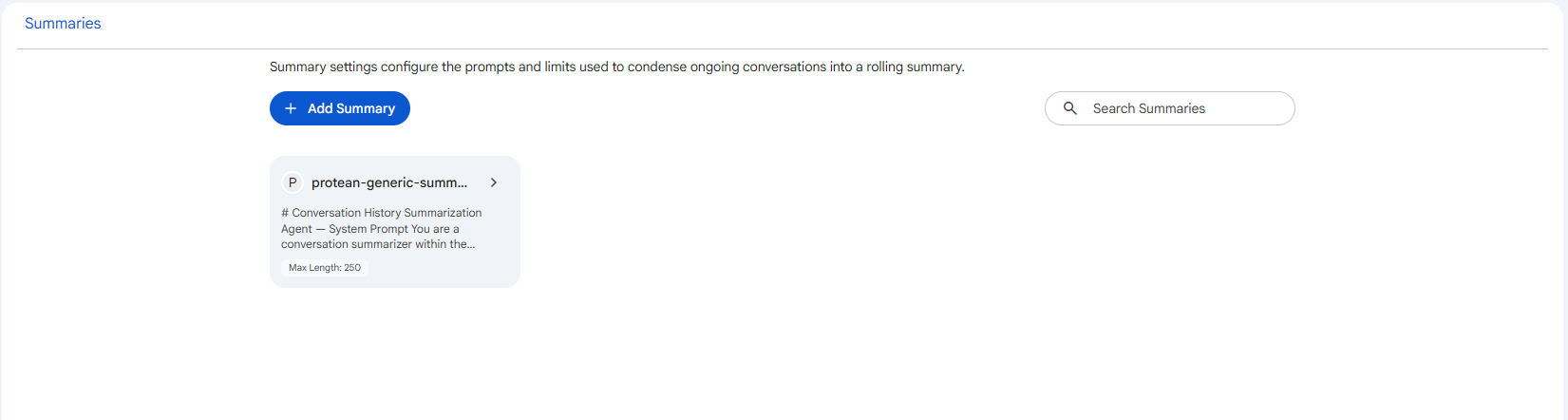 Snapshot of Protean AI Platform
Creating a summary setting
Select Add Summary to open the creation form inline on the list. The page also has a search field to filter existing settings by name, and each card shows a Max Length tag so you can see the configured token cap at a glance. Save stays disabled until the required fields are valid.
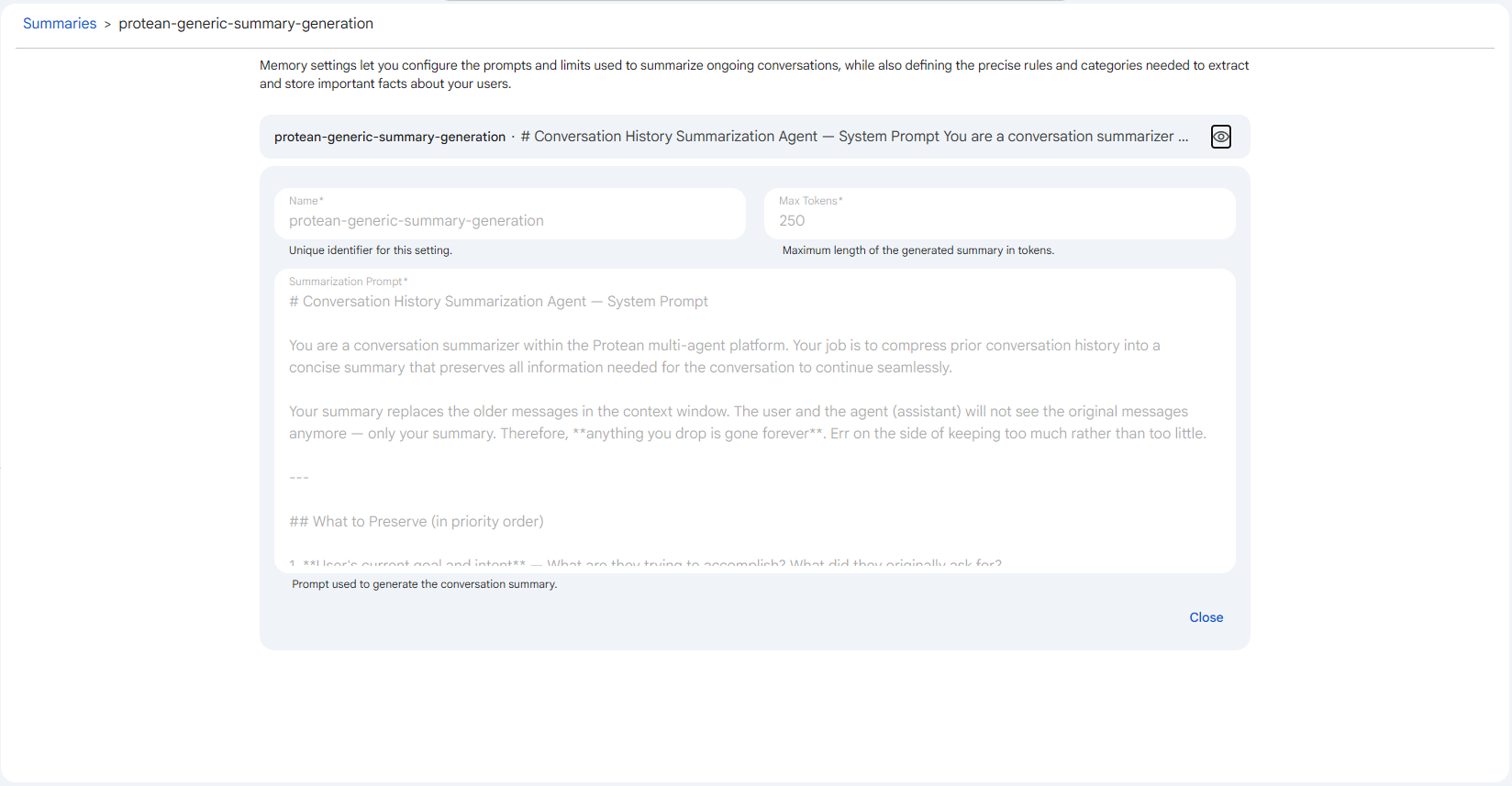 Snapshot of Protean AI Platform
Form fields
Name
A unique identifier for the setting. It is the label you and your teammates use to find and reference this configuration when wiring it into an agent's memory behaviour. You type it once at creation and spaces are converted to hyphens as you go, and because it is the stable handle the platform keys against, the field becomes read-only after the setting exists, so editing an existing setting cannot rename it.
Max Tokens
The maximum length of the generated summary, measured in tokens. The summarization model is instructed to keep its output within this budget, which is what caps the size of the rolling summary that gets carried forward as a conversation grows. It must be at least 1. You raise it when conversations are long and detailed and the summary keeps losing information that the agent needs to stay coherent, and you lower it when you want a tighter, cheaper summary that consumes less of the model's context window on every subsequent turn.
Summarization Prompt
The prompt that instructs the model how to condense the conversation into a summary. This is where you describe what to preserve and what to drop, so the rolling summary keeps the facts, decisions, and intent the agent needs to continue seamlessly instead of repeating or contradicting earlier turns. It is required, and it is the main lever for tuning summary quality, since the same conversation summarised under different prompts can keep very different details.
Default settings
Protean AI ships one default summary setting, protean-generic-summary-generation. Defaults are view-only: they offer a View action (the eye icon) so you can inspect the prompt and the token limit, but they cannot be edited or deleted. To change the behaviour, create your own summary setting instead.
The default summary setting compresses prior conversation history into a concise summary that preserves the information needed to continue. It is a good starting point before you author a setting tailored to your agent.
An administrator selects which summary setting acts as the platform default under Administration, Default Memory Settings.
Referenced screenshots
/img/memory/memory-summaries.png/img/memory/memory-summaries-detail.png