Sub-Agents
A sub-agent is a specialised unit that handles a specific task on behalf of the main agent. Sub-agents let you decompose a complex agent into focused parts, each with its own model, instructions, skills, memory, and knowledge, instead of forcing one prompt and one model to do everything.
At runtime the main agent acts as an orchestrator. It decides when a request (or part of one) is better handled by a specialist, delegates that work to the relevant sub-agent, and folds the sub-agent's result back into its own response. The user sees one conversation with one agent; the delegation happens behind the scenes.
Why Use Sub-Agents
- Separation of concerns: give each sub-agent a single, well-defined responsibility (a "SQL analyst", a "summariser", a "factory-data lookup") so each prompt stays short and focused, which models follow more reliably.
- Model specialisation: run a small, fast, cheap model for routine sub-tasks and reserve a larger model for the parts that need it.
- Tool isolation: grant database or API tools only to the sub-agent that should use them, keeping the main agent's tool surface small and safer.
- Reuse: an external agent can be called by many other agents, so a well-built specialist becomes shared infrastructure.
The segment has two tabs: Creation (define sub-agents) and Utilization (choose which the main agent may actually call).
Creation
The Creation tab lists the sub-agents defined under this agent and lets you add new ones with + New Sub-Agent.
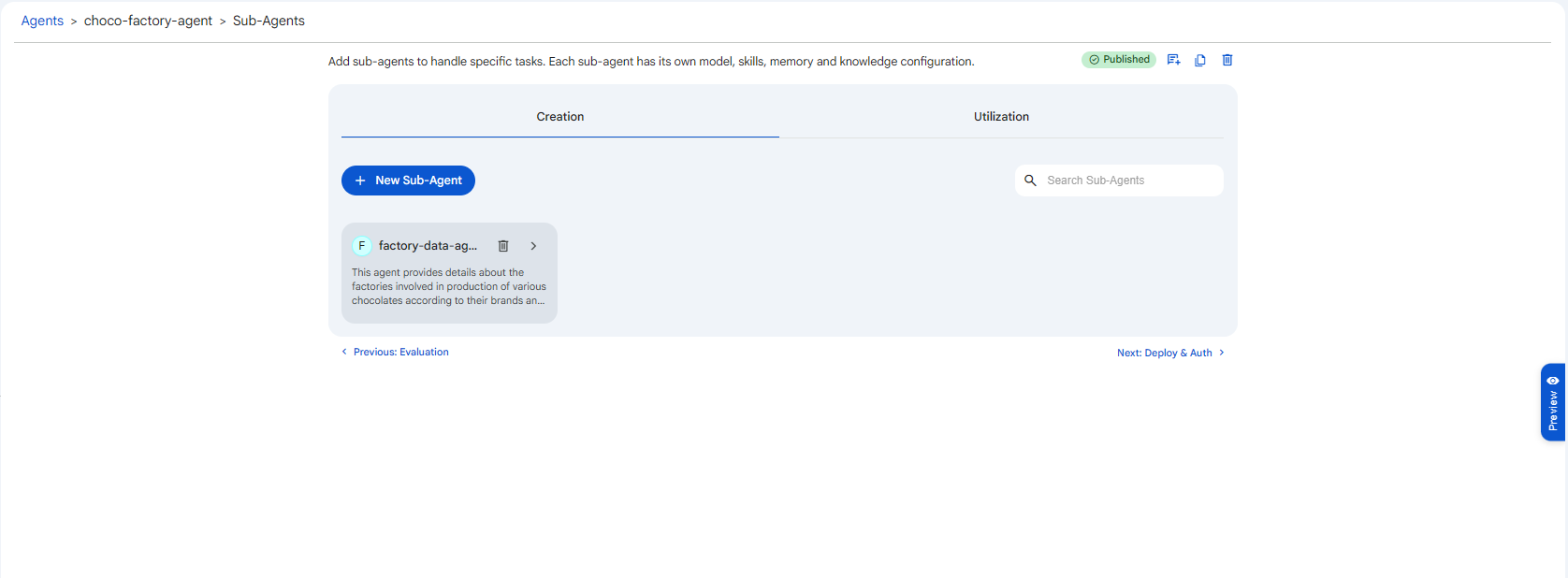 Snapshot of Protean AI Platform
Creating a sub-agent starts with a small form. The Name identifies the sub-agent and must be unique within this agent, since the orchestrator refers to it by name when deciding where to delegate, so a clear, distinct name keeps routing predictable. The optional Description records what the sub-agent is for, which helps anyone configuring the agent later understand its role at a glance. After creating it, you open the sub-agent and configure it through the same screens as an agent.
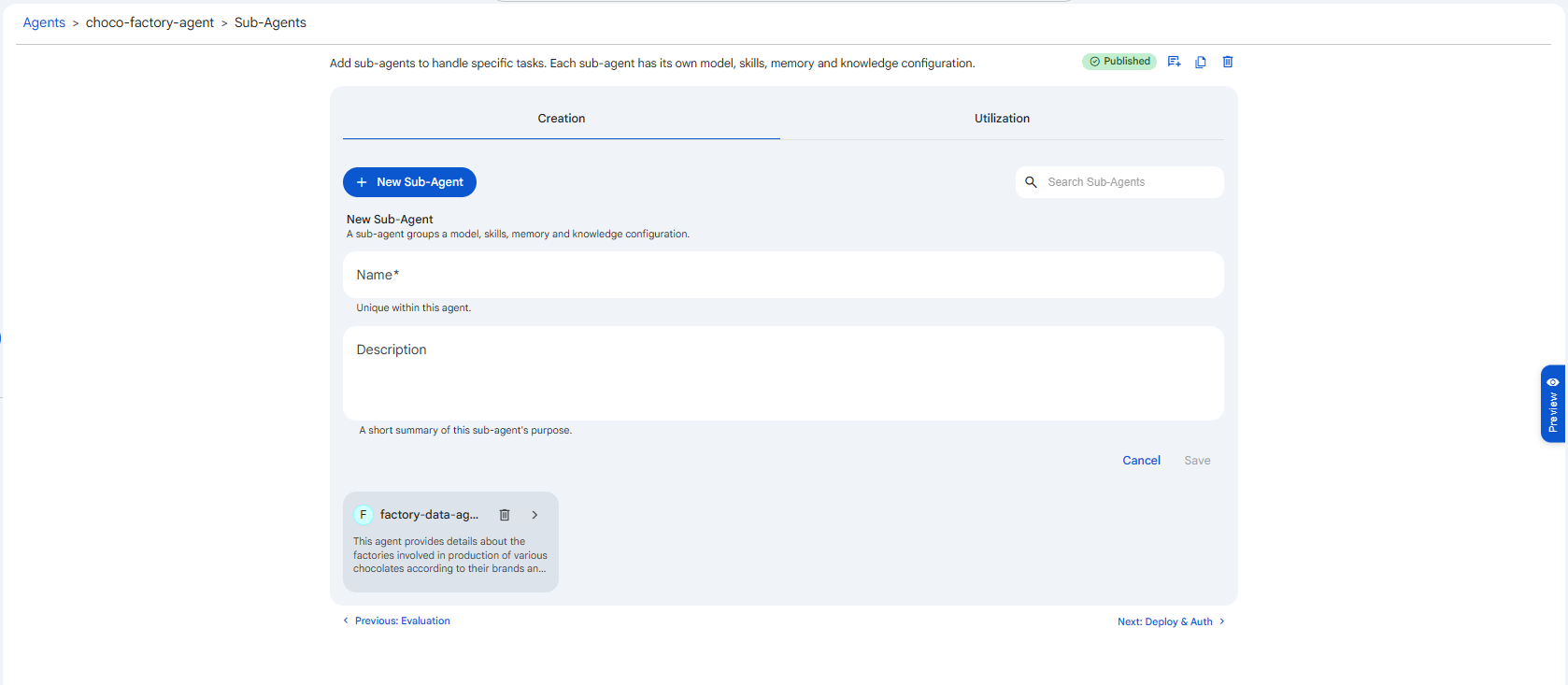 Snapshot of Protean AI Platform
Utilization
Creating a sub-agent does not automatically wire it in. The Utilization tab is where you select which units the main agent is allowed to delegate to. It is filtered by two tags:
| Tag | What it lists |
|---|---|
| Sub-Agents | Sub-agents created under this agent (on the Creation tab). |
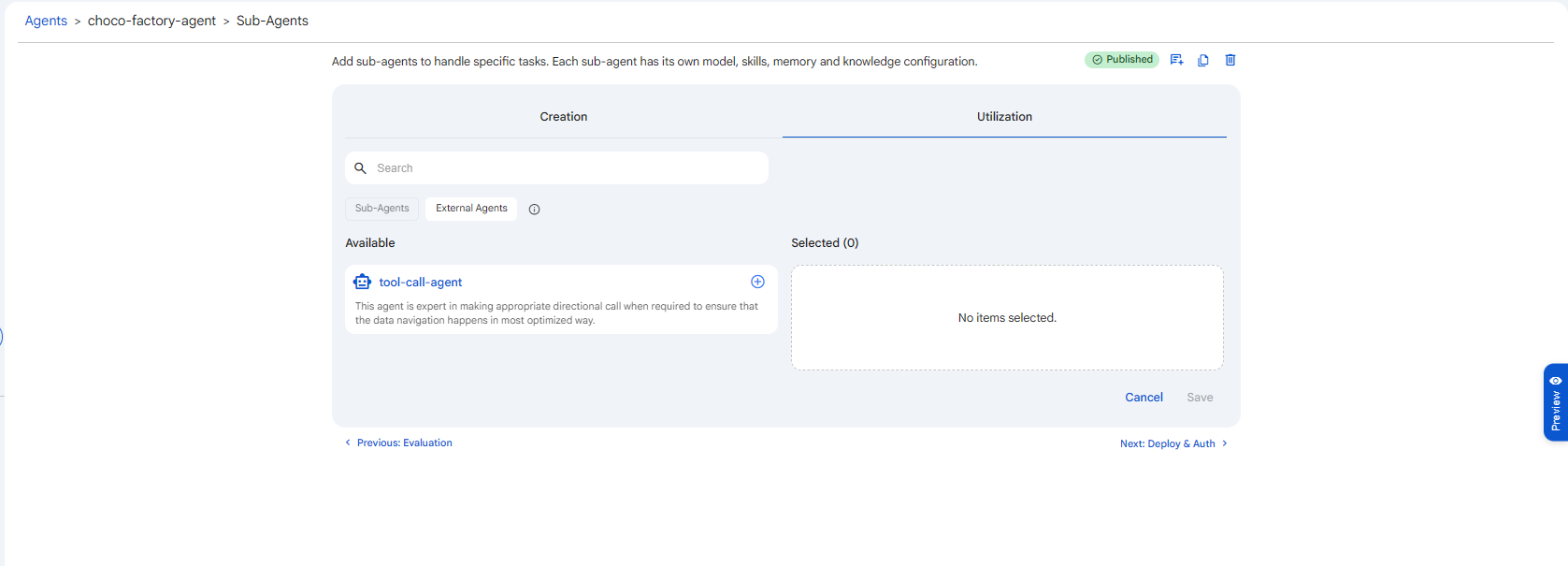
| External Agents | Other published agents in the system, used as shared specialists. |
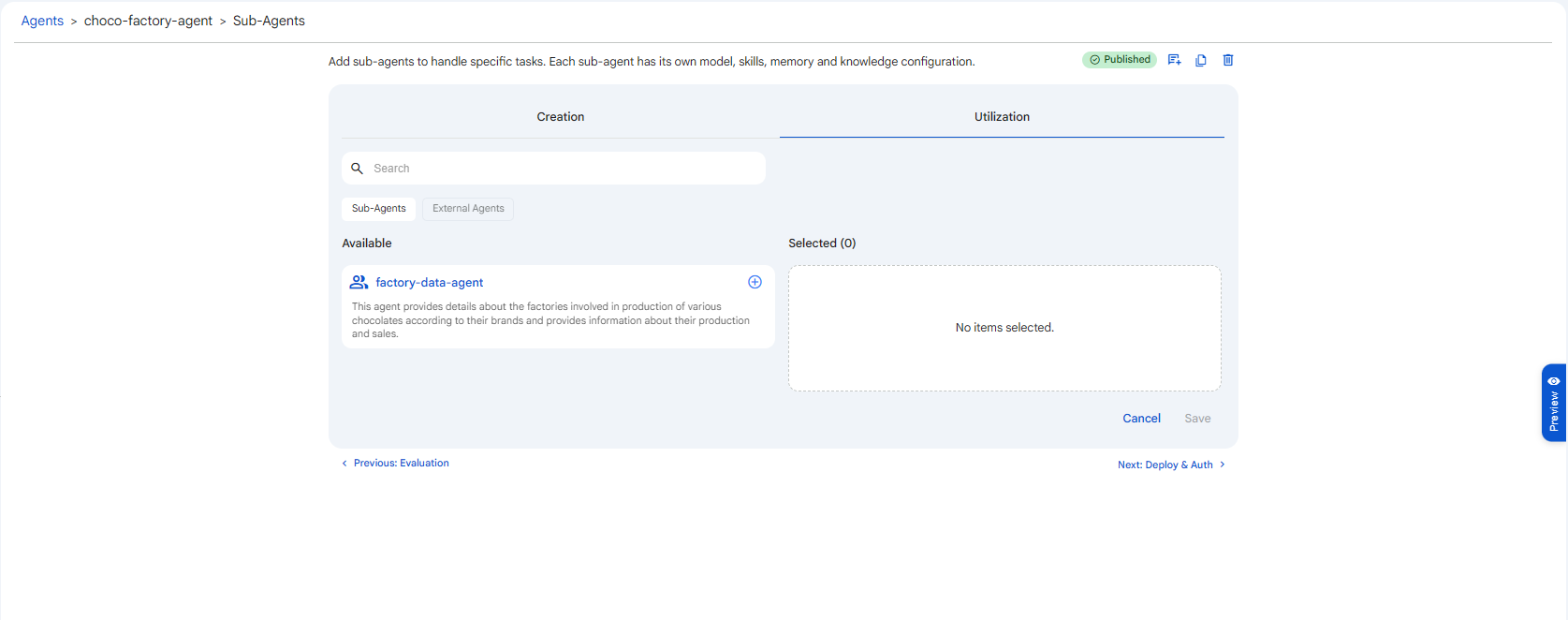 Snapshot of Protean AI Platform
 Snapshot of Protean AI Platform
Delegation happens over MCP, so a sub-agent or external agent only appears in the Available list if it has the MCP channel enabled. If an agent you expect to see is missing, open it and enable MCP under Channels (and, for an external agent, make sure it is published). The interface states this for external agents: "Only external agents that have MCP enabled as a channel are shown here."
The distinction matters: Creation is about building sub-agents; Utilization is about connecting them (and external agents) so the orchestrator can call them. A sub-agent you created but never added under Utilization exists but is never invoked.
How a Sub-Agent Differs from an Agent
A sub-agent is configured with almost the same segments as a top-level agent. It has its own:
- Instructions, Model, Creativity, Thinking
- Knowledge, Memory, Skills
- MCP Servers, Channels, Evaluation
That is why you configure it through the same screens. The differences are what make it a sub-agent rather than a standalone one:
| Agent | Sub-Agent | |
|---|---|---|
| Has a Sub-Agents segment | Yes, can delegate to sub-agents | No. Delegation is one level deep; a sub-agent cannot have its own sub-agents. |
| Deploy & Auth | Its own deployment and access control | None of its own. It runs under the main agent's deployment and is governed by the main agent's access control. |
| Lifecycle / publishing | Published and versioned independently | Published, versioned, and deployed together with the main agent, there is no separate publish for a sub-agent. |
| Used directly in chat | Yes | No, it is reached only via the main agent's delegation. |
In short, a sub-agent is a full behaviour definition, but it is not independently deployed, authorized, or published, those concerns belong to the main agent. The Deploy & Auth screen you see while configuring is always the main agent's; there is no separate deployment, sharing, or publish step for a sub-agent. When you publish the main agent, its sub-agents go live with it; when you share the main agent, you are implicitly granting access to everything it delegates to.
Start with a single agent. Introduce sub-agents only when one prompt is clearly juggling multiple distinct jobs, or when different parts of the task need different models or tools. Premature decomposition adds orchestration overhead and more surfaces to maintain for no real benefit.