Memory
Memory gives an agent continuity. Without it, every request is stateless and the agent only sees the current message. With memory, the agent recalls recent turns and, optionally, retains durable summaries and facts across conversations.
The segment has two tabs: Memory Sources (which summary and fact definitions the agent uses) and Configuration (how memory is segmented, summarised, and retrieved).
Memory Sources
The Memory Sources tab is where you attach the building blocks the agent's memory is made from. It is filtered by three tags. Under each tag you pick from a list of Available definitions and move them into Selected.
| Tag | What it provides |
|---|---|
| Agent Summary | A rolling summary maintained across the agent's entire lifetime, spanning all of its conversations. |
| Conversation Summary | A rolling summary maintained within a single conversation. |
| Memory Facts | Structured facts extracted from conversations and stored in memory. |
Agent Summary & Conversation Summary
Both summary tags draw from summary-generation definitions. Protean AI ships a default you can use out of the box, protean-generic-summary-generation, which compresses prior conversation history into a concise summary that preserves the information needed to continue seamlessly.
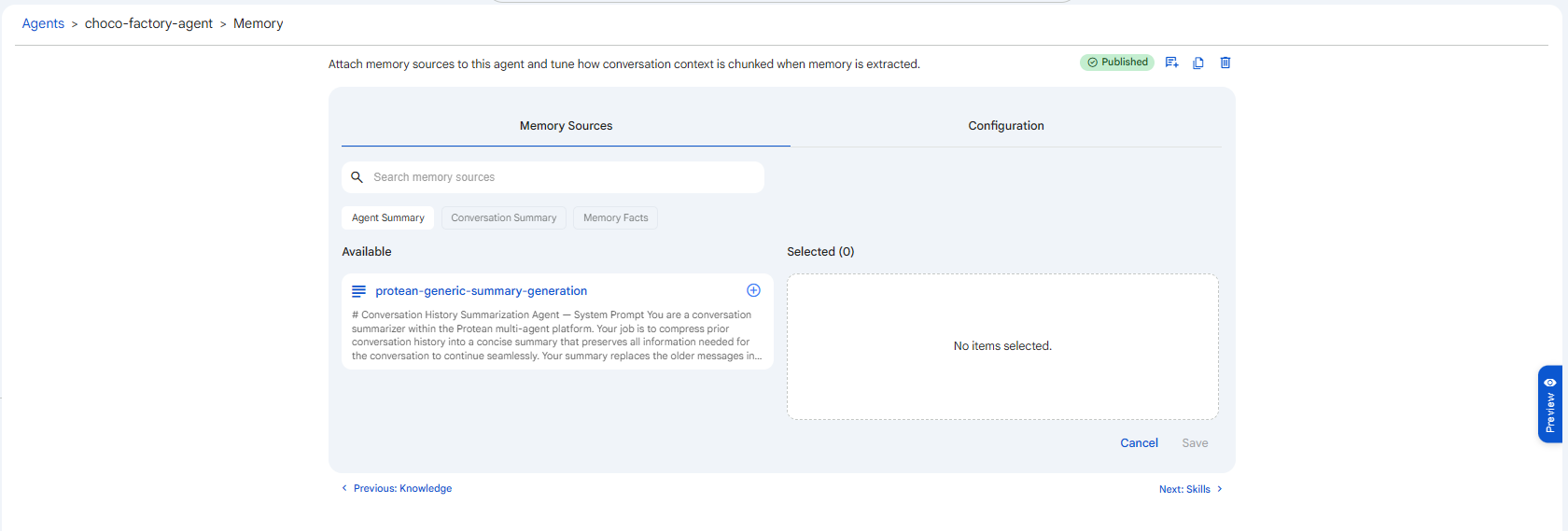 Snapshot of Protean AI Platform
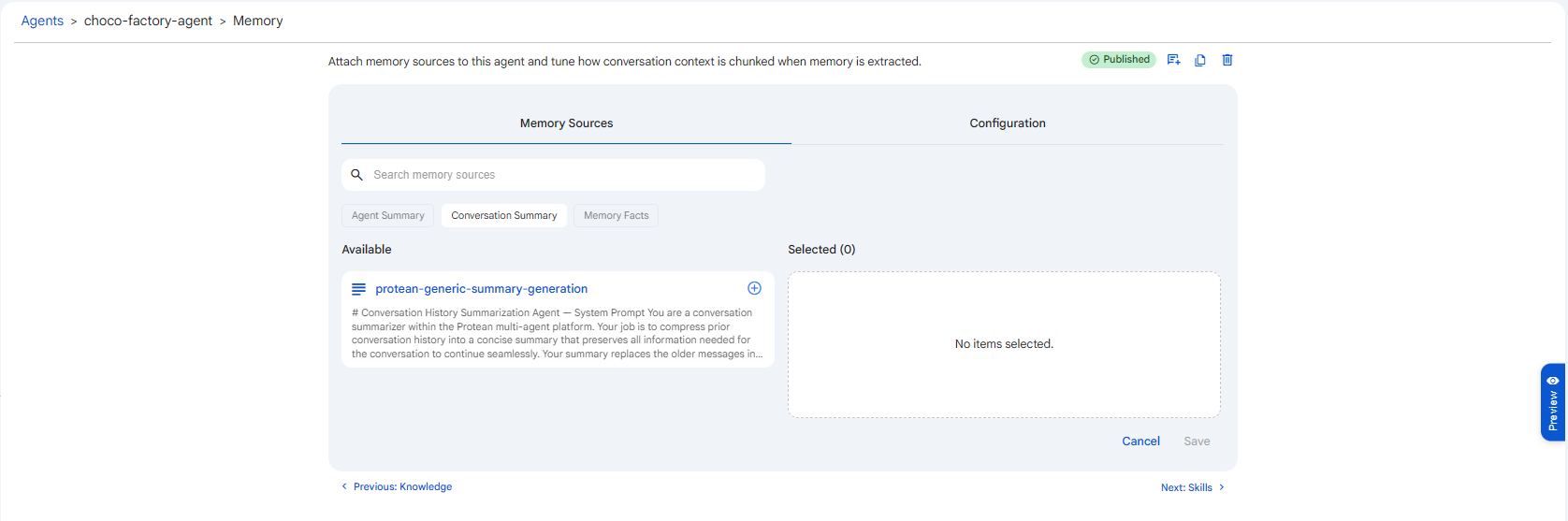 Snapshot of Protean AI Platform
Selecting a summary definition here only attaches it. The summary does not run until you also switch on the matching toggle in Configuration: Enable Agent Summary or Enable Conversation Summary.
Memory Facts
Memory Facts are discrete pieces of durable knowledge the agent extracts and remembers across conversations. Protean AI ships four default fact extractors you can add:
| Default fact extractor | Extracts |
|---|---|
protean-behavior-extraction | Behavioural patterns, routines, and how the user tends to solve problems. |
protean-event-extraction | Specific events and experiences that happened to or involved the user. |
protean-profile-extraction | Stable profile traits: basic info, preferences, and long-term habits. |
protean-skill-extraction | Skills, capabilities, and technical competencies the user demonstrates. |
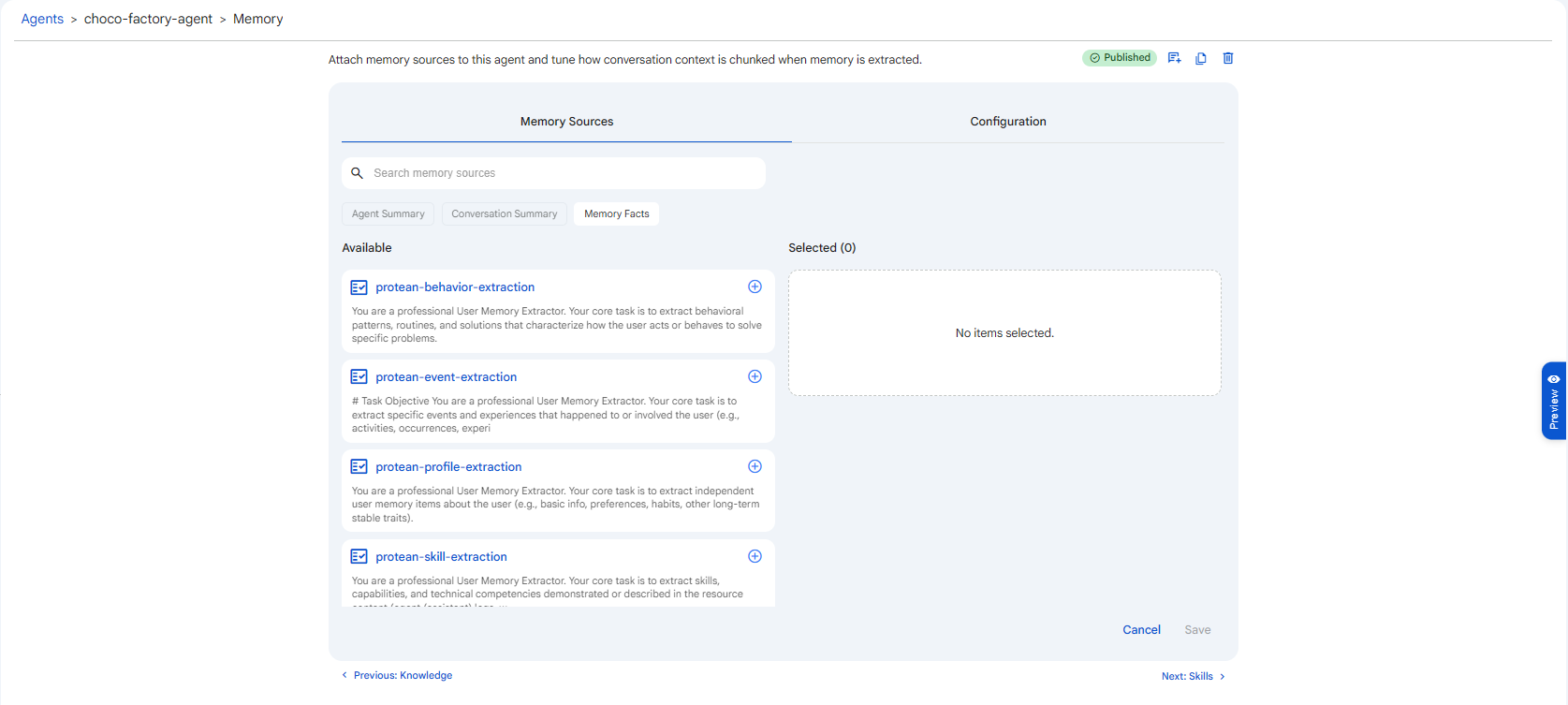 Snapshot of Protean AI Platform
Configuration
The Configuration tab (titled Memory Extraction) controls how conversation messages are segmented, summarised, and retrieved when building the agent's memory.
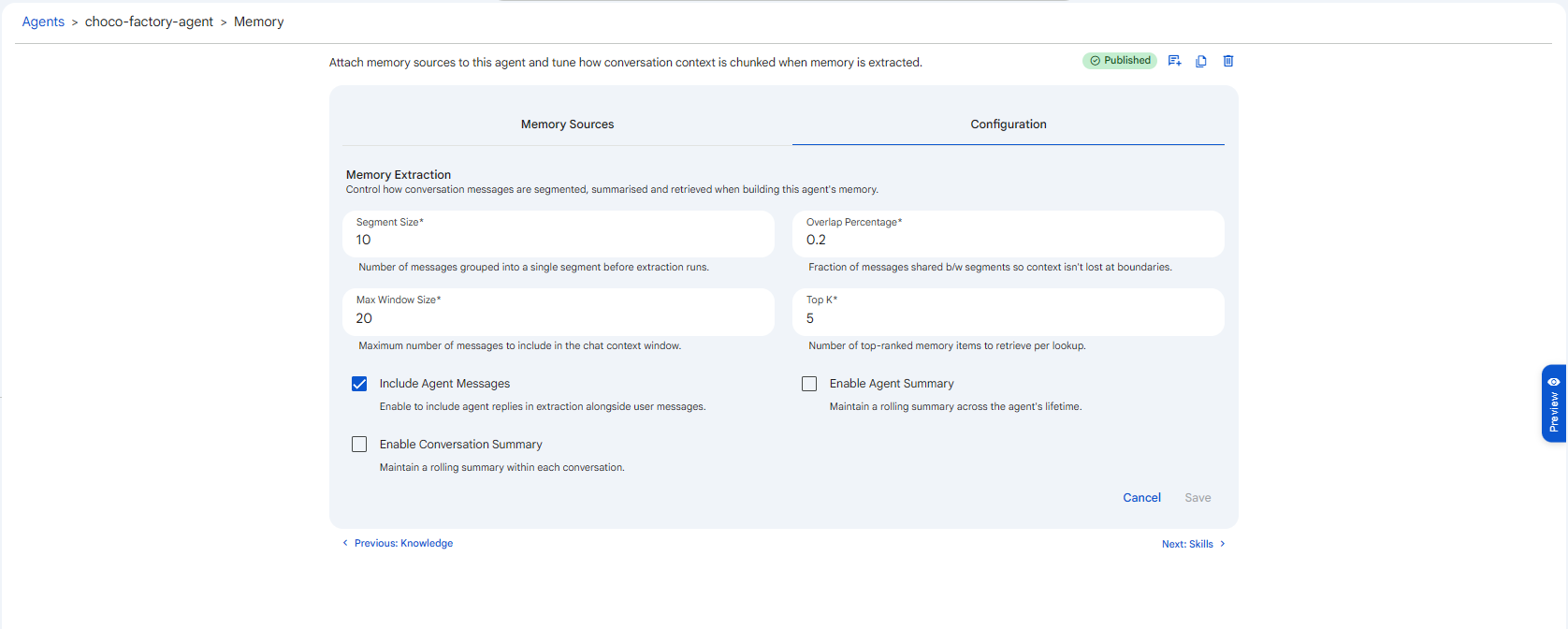 Snapshot of Protean AI Platform
Segment Size
The number of messages grouped into a single segment before extraction runs. Default 10, minimum 1.
Memory isn't extracted message-by-message; it is processed in batches called segments. A smaller segment size extracts more frequently and at a finer granularity (more, smaller memories); a larger one waits for more context to accumulate before extracting (fewer, broader memories) and does less processing overall.
Overlap Percentage
The fraction of messages shared between consecutive segments (range 0 to 1, default 0.2, i.e. 20%).
Overlap prevents context from being lost at segment boundaries, a fact stated across the last message of one segment and the first of the next would be missed if segments didn't overlap. Higher overlap is safer for continuity but reprocesses more messages; 0.2 is a balanced default.
Max Window Size
The maximum number of recent messages included in the chat context window. Default 20, minimum 1.
This is the rolling window of recent conversation the agent always sees directly, independent of summaries and facts. A larger window preserves more immediate context but consumes more of the model's context budget; once the conversation grows past the window, older turns drop out (which is where summaries earn their keep).
Top K
The number of top-ranked memory items retrieved per lookup. Default 5, minimum 1.
When the agent consults memory, it pulls back the most relevant items up to this count. Higher values surface more remembered context at the cost of more tokens and potential noise.
Include Agent Messages
When enabled (the default), the agent's own replies are included in extraction alongside the user's messages, so memory reflects the full dialogue rather than only what the user said. Disable it if you want memory to capture user-stated information only.
Enable Agent Summary / Enable Conversation Summary
These toggles switch the rolling summaries on. Enable Agent Summary maintains a summary across the agent's lifetime; Enable Conversation Summary maintains one within each conversation. Each pairs with the definition you selected under the corresponding Memory Sources tag, you need both the selected source and the enabled toggle for a summary to run.
Start with just the recent-history window (Max Window Size 20) and no summaries. Turn on Conversation Summary once interactions get long enough that early context drops out of the window. Add Agent Summary or Memory Facts only when the agent genuinely needs to remember across separate conversations, they add processing and storage that a short-lived assistant doesn't need.