MCP Servers
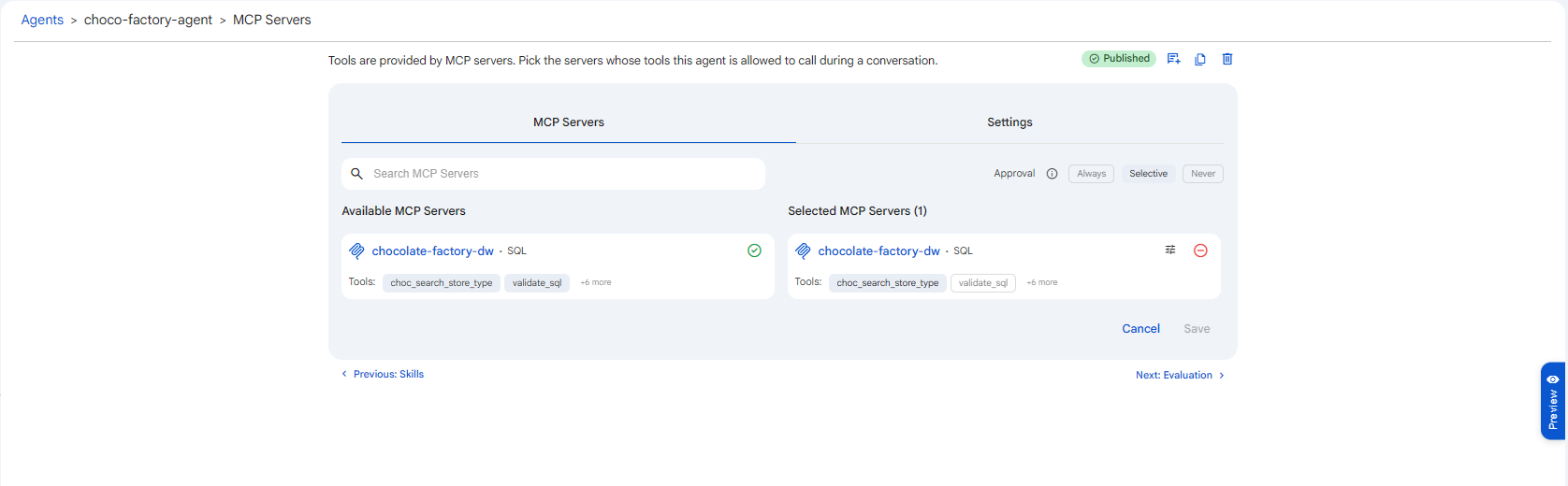
Tools are provided by MCP (Model Context Protocol) servers. In this segment you pick the servers whose tools the agent is allowed to call during a conversation, choose how tool calls are approved, and set execution limits.
The segment has two tabs: MCP Servers and Settings.
Tool calling depends on the selected model. If the agent's model does not support tool calling, MCP tools cannot be used. See Model.
MCP Servers
Search the Available MCP Servers list and add a server to move it into Selected MCP Servers. Each server card shows its type (e.g. SQL) and the tools it exposes. MCP servers may be Internal (hosted by Protean AI, such as SQL access) or External (referenced by URL). See MCP Servers for how to register them.
 Snapshot of Protean AI Platform
Tool Approval
Because tools can perform real actions, tool calls can require human approval before they run. The Approval control offers three scopes:
| Scope | Behaviour |
|---|---|
| Always | Every tool call requires human approval before execution. The safest default. |
| Selective | Configure approval per tool, pick which tools always require approval and which never do. |
| Never | Tool calls run without ever asking for human approval. |
Selective mode
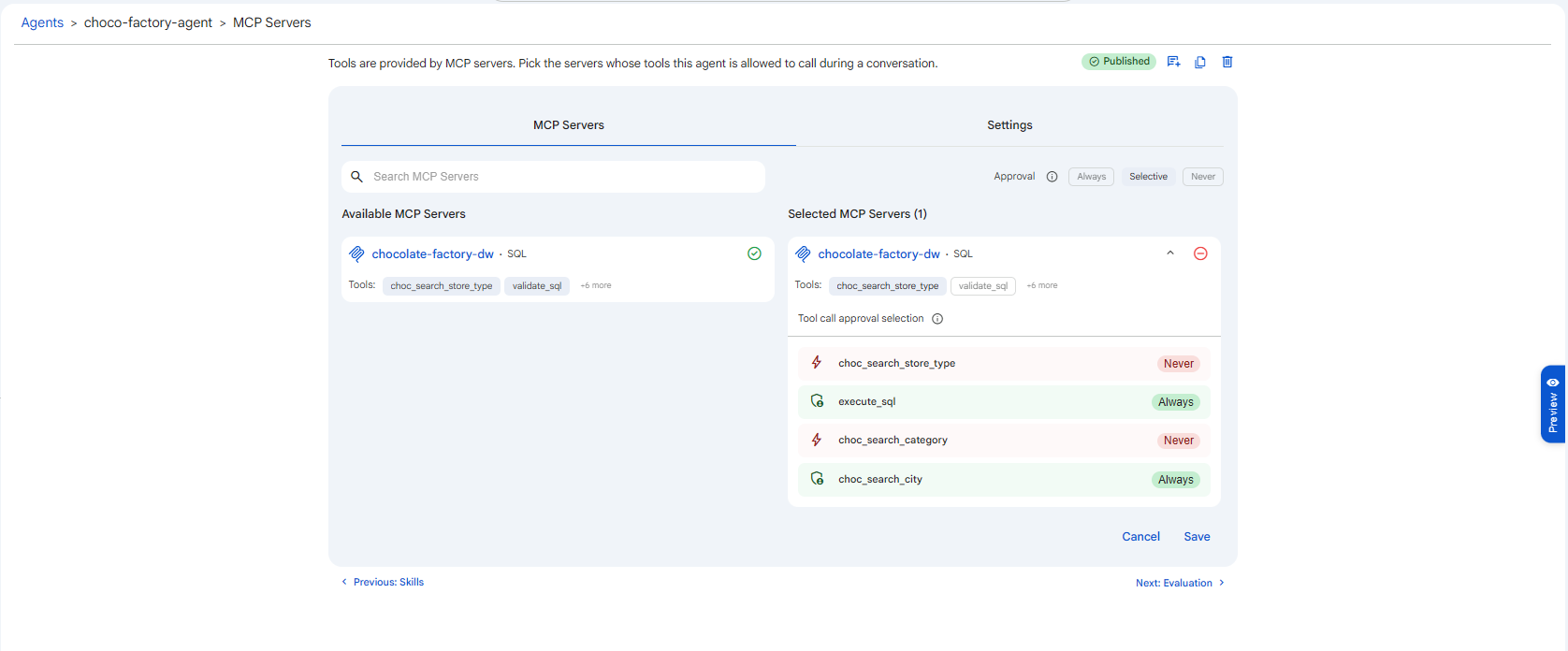
When you choose Selective, expanding a selected server reveals Tool call approval selection, a row per tool where you set each tool to Always (requires approval) or Never (runs automatically). This lets you auto-run safe, read-only tools while still gating sensitive or write-capable ones.
 Snapshot of Protean AI Platform
Start with Always while testing a new agent. Only move to Selective or Never once you trust exactly which tools the agent calls and what they do. A write-capable tool set to Never can take irreversible actions on its own.
Settings
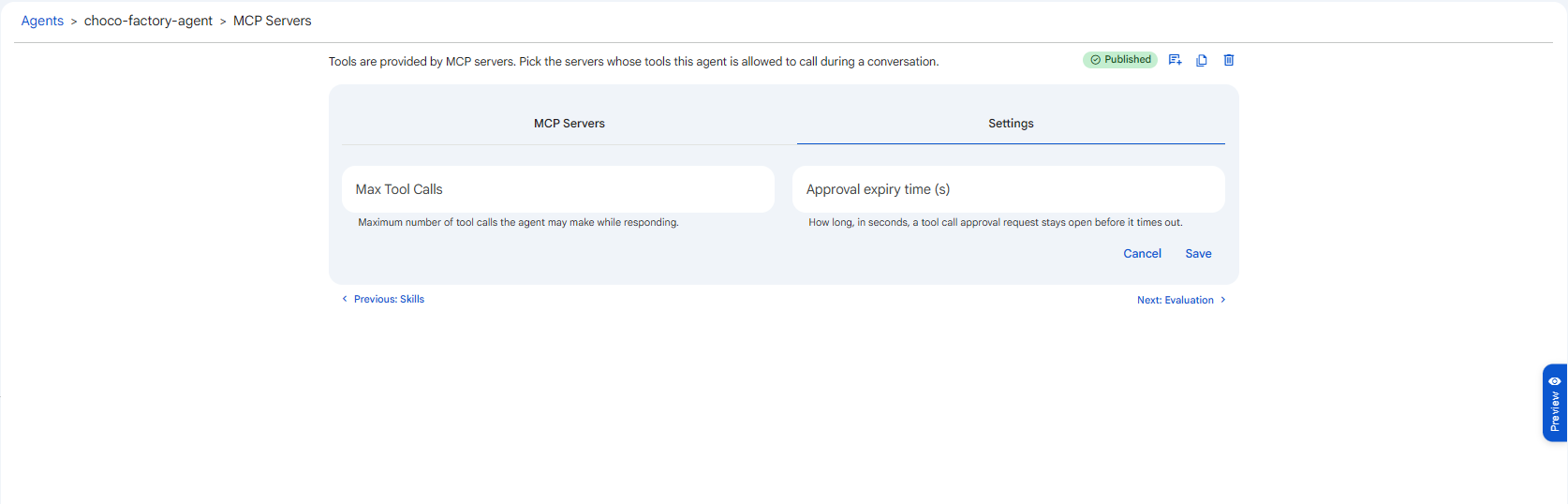
The Settings tab holds execution limits that apply across all selected servers.
 Snapshot of Protean AI Platform
Max Tool Calls
The maximum number of tool calls the agent may make while responding to a single request.
Agents can chain tool calls (search, then validate, then execute, and so on), and a faulty loop could otherwise call tools indefinitely. This cap is a safety ceiling: once the agent reaches it within one response, no further tool calls are made for that request. Set it high enough for the agent's legitimate workflows (a multi-step database agent may need several) but low enough to bound cost and prevent runaway loops.
Approval expiry time (s)
How long, in seconds, a tool call approval request stays open before it times out.
When a tool call requires approval (under Always, or for a gated tool under Selective), the agent pauses and waits for a human decision. If no one responds within this window, the request expires rather than waiting forever. Set it to match how quickly an approver is realistically available, long enough that legitimate approvals aren't lost, short enough that an unattended request doesn't block the conversation indefinitely.