Lifecycle & Publishing
Agents are governed resources. They move through a controlled lifecycle so that anyone using an agent gets stable, predictable behaviour while you keep iterating safely. This page covers agent status, the draft → publish → revision flow, and how to use a published agent in chat.
Status
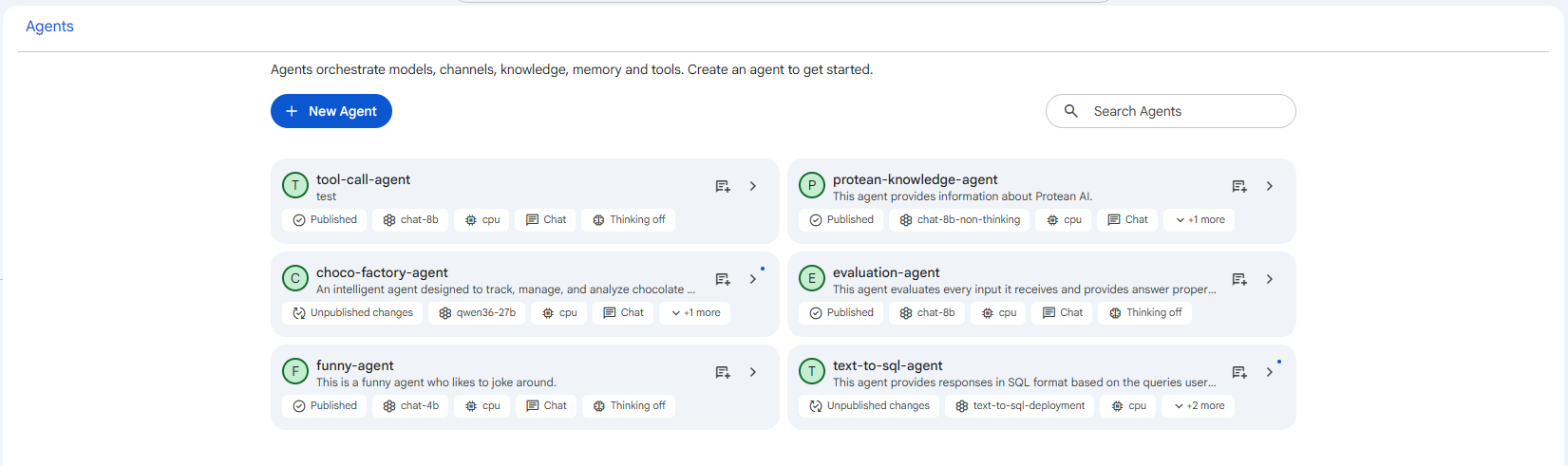
Every agent has one of four statuses, shown as a chip in the configuration header:
| Status | Meaning |
|---|---|
| Draft | The editable working copy of an agent. Every segment can be configured freely while in this state, but the agent is not yet usable by others. It stays a draft until you publish, which lets you iterate without affecting anyone consuming a live version. |
| Published | A locked, deployed version that is actively serving conversations. Its configuration is immutable so that consumers get consistent, predictable behaviour, and it keeps serving traffic even while you prepare the next draft revision. |
| Archived | A previously published version that a newer revision has superseded. It no longer serves new conversations, but it is preserved so the history of how the agent's behaviour evolved remains auditable. |
| Obsoleted | A version that is no longer in use. It neither serves conversations nor acts as the current published configuration, and it is retained only as part of the agent's recorded lineage. |
The status is also visible on each card in the agents list, so you can see at a glance which agents are live and which have pending work.
 Snapshot of Protean AI Platform
Draft → Publish
A newly created agent starts as a Draft, with every segment editable. When it is ready, click Publish. Publishing saves any pending changes, promotes the draft to Published, and makes the agent shareable and usable in conversations (once deployed).
A published agent is immutable, its configuration is locked so consumers get consistent behaviour.
Unpublished Changes & Revisions
To change a published agent, you simply edit and save a segment. This creates a new draft revision that points back at the published version. The published version keeps serving traffic while you work on the draft.
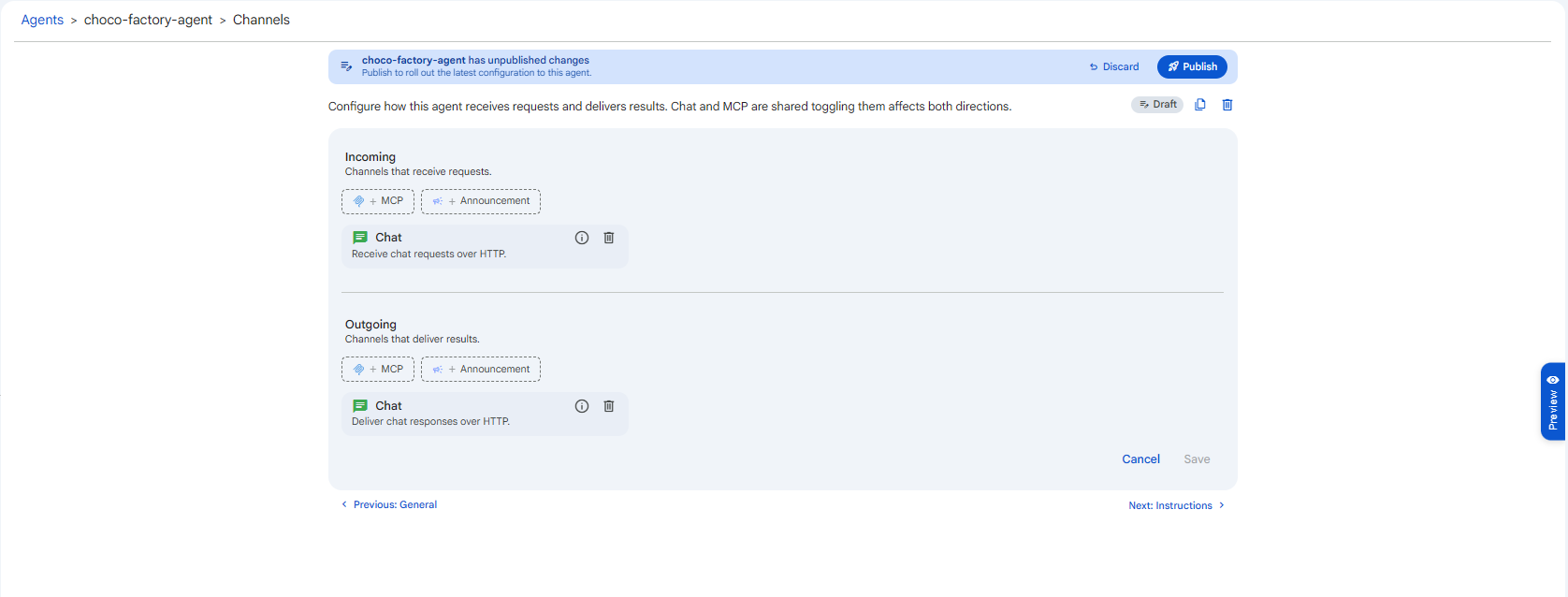
While a published agent has a saved-but-unpublished edit, a banner appears across the top of the configuration: "<agent> has unpublished changes, Publish to roll out the latest configuration to this agent," with Discard and Publish buttons. The status chip also flips to Draft.
 Snapshot of Protean AI Platform
Publish the changes
Click Publish in the banner to promote the draft. It becomes the new live version, and the previous one is archived. This guarantees a stable version is always serving while you iterate, and that historical versions remain auditable.
Discard the changes
Click Discard to throw away the unpublished edits. You'll be asked to confirm ("Discard unpublished changes? The agent will be reset to its last published configuration."). The published version is unaffected.
Cloning
The configuration header also offers a clone action, which copies an agent's configuration into a fresh draft. Use it to create a variant without rebuilding from scratch; the clone is published independently.
Using an Agent in Chat
Once an agent is Published, deployed with an available replica, and has the Chat channel enabled, you can start a conversation with it from the configuration header's new-chat action. This opens the conversation interface with everything you configured, instructions, knowledge, memory, tools, and sub-agents, applied to every response.
The start-chat action stays disabled until all three conditions are met: the agent is published, its deployment has a free replica, and the Chat channel is enabled. If it's greyed out, check those three in order.
Lineage & Auditability
Every revision records its relationship to the version it came from, giving you full version history, a clear audit trail of how behaviour evolved, and the ability to trace exactly which configuration served any given conversation.