Knowledge
Knowledge lets an agent ground its answers in your data. You connect one or more knowledge sets (datasets), and at inference time the agent retrieves the most relevant chunks from them and uses those as context, a retrieval-augmented generation (RAG) pattern. This keeps responses accurate and current without baking the information into the model.
The segment has two tabs: Knowledge Sets and Search Properties.
Knowledge Sets
Choose which knowledge sets the agent is allowed to search. Search the Available Knowledge Sets list and add a set to move it into Selected Knowledge Sets. Only knowledge sets you have access to appear here, and you can add or remove sets at any time without redefining the agent.
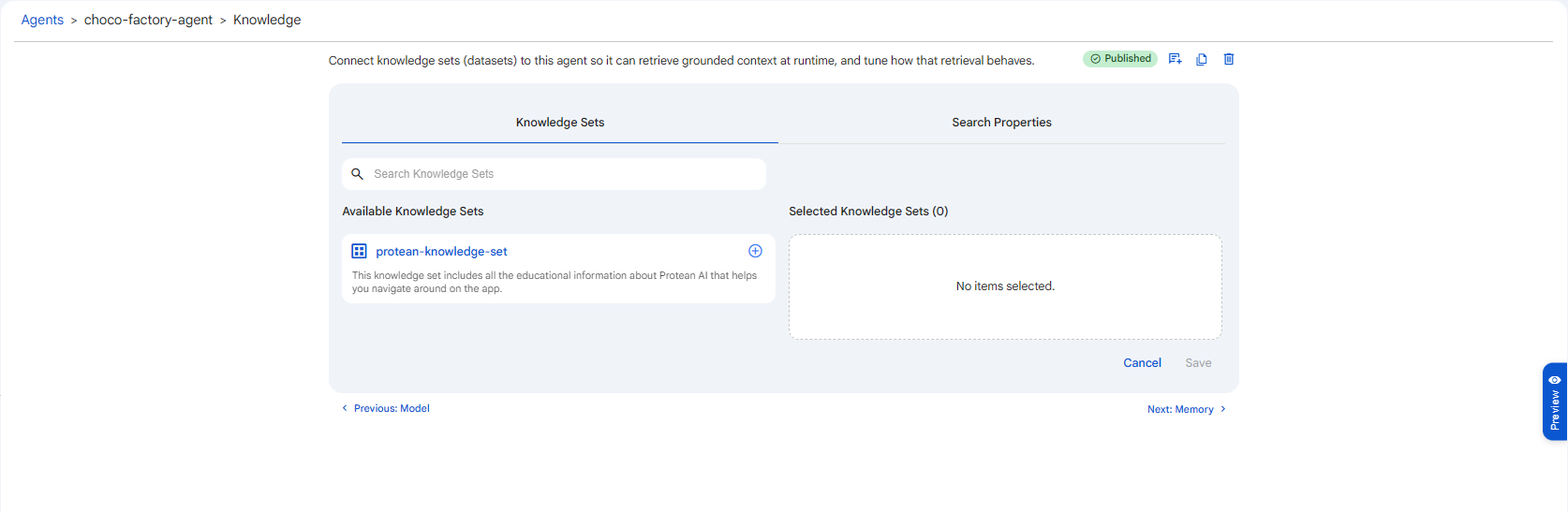 Snapshot of Protean AI Platform
See Knowledge set for how to prepare and register a knowledge set.
Search Properties
These settings tune how the agent retrieves information from the selected knowledge sets on every query. They trade off recall (finding everything relevant) against precision (returning only what's relevant) and against cost and latency.
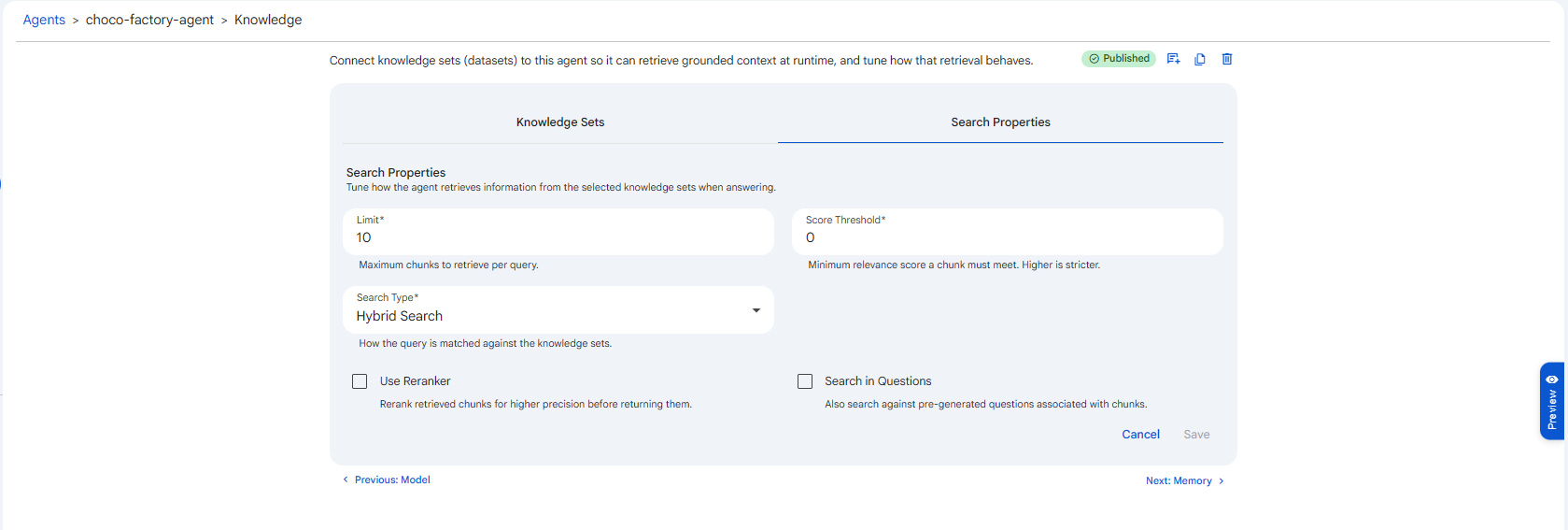 Snapshot of Protean AI Platform
Limit
The maximum number of chunks to retrieve per query. Range 1 to 100, default 10.
This is the size of the context the agent is handed for each question. A higher limit gives the model more to work with and reduces the chance of missing a relevant passage, but it also consumes more of the context window, increases token cost, and can dilute the answer with marginally-relevant material. Start at 10 and raise it only if the agent is clearly missing information that exists in the knowledge set.
Score Threshold
The minimum relevance score (range 0 to 1, default 0) a chunk must reach to be included. Higher is stricter.
Every retrieved chunk is scored for relevance; this threshold drops anything below the bar. At 0, no chunk is filtered out and the agent simply takes up to Limit chunks regardless of how weak the match is. Raising it (e.g. 0.5 to 0.7) filters out loosely-related chunks so the model isn't distracted by noise, at the risk of excluding a borderline chunk that was actually useful. Use it together with Limit: Limit caps how many chunks come back, Score Threshold controls how good they must be.
Search Type
How the query is matched against the knowledge sets:
| Type | How it matches | Best for |
|---|---|---|
| Hybrid Search | Combines semantic and keyword matching. Default. | General-purpose use; the safest starting choice. |
| Semantic Search | Vector similarity, matches on meaning even when the wording differs. | Natural-language questions where synonyms and paraphrase matter. |
| Keyword Search | Lexical matching of exact terms and phrases. | Codes, IDs, product names, and exact-term lookups where meaning-based matching drifts. |
Use Reranker
When enabled, the retrieved chunks are passed through a dedicated reranking model that re-scores them for relevance and reorders them before they reach the agent. Off by default.
This is a precision booster: the initial search casts a wide net, and the reranker promotes the genuinely best chunks to the top. It improves answer quality, particularly at higher Limit values, at the cost of some extra compute and latency per query. Turn it on when retrieval quality matters more than raw speed.
Search in Questions
When enabled, the search also matches against the pre-generated questions associated with chunks, not just the chunk content. Off by default.
Some knowledge sets store representative questions alongside each chunk (common for FAQ-style data). Matching against those questions helps when a user phrases a request the way a question is written rather than the way the underlying content reads. Enable it for FAQ or Q&A knowledge sets; leave it off for plain document corpora.
Sensible defaults: Hybrid Search, Limit 10, Score Threshold 0, reranker off. If the agent pulls in irrelevant context, raise the Score Threshold first. If it misses facts that exist in the set, raise the Limit or enable the Reranker. Reach for Keyword Search only when exact-term matching is failing under Hybrid.