Instructions
Instructions define the system prompt for the agent, how this agent behaves: what it should do, how it should respond, and the rules it must follow. This is the single most important lever for controlling behaviour, and everything the agent does is shaped by what you write here.
Rather than one large text box, instructions are organised into a stepper so you can author each part of the prompt separately. The agent's effective system prompt is the combination of all steps, assembled in order.
The Default Steps
By default there are four steps. Each addresses a different aspect of the prompt:
| Step | What to put here |
|---|---|
| 1. Objective | The agent's role and primary goal: what it exists to do, and the domain it operates in. |
| 2. Workflow | The process or sequence of steps the agent should follow to fulfil a request (for example, resolve entities, then validate, then execute). |
| 3. Rules | Hard constraints: what it must always or never do, output format, and safety boundaries. Concrete rules are followed far more reliably than vague guidance. |
| 4. Examples | Sample questions paired with ideal responses, to anchor tone, structure, and formatting. |
Each step has a rich-text editor with formatting controls and an option to Switch to plain text editing. The Preview tab on the right shows the assembled prompt as the agent will receive it.
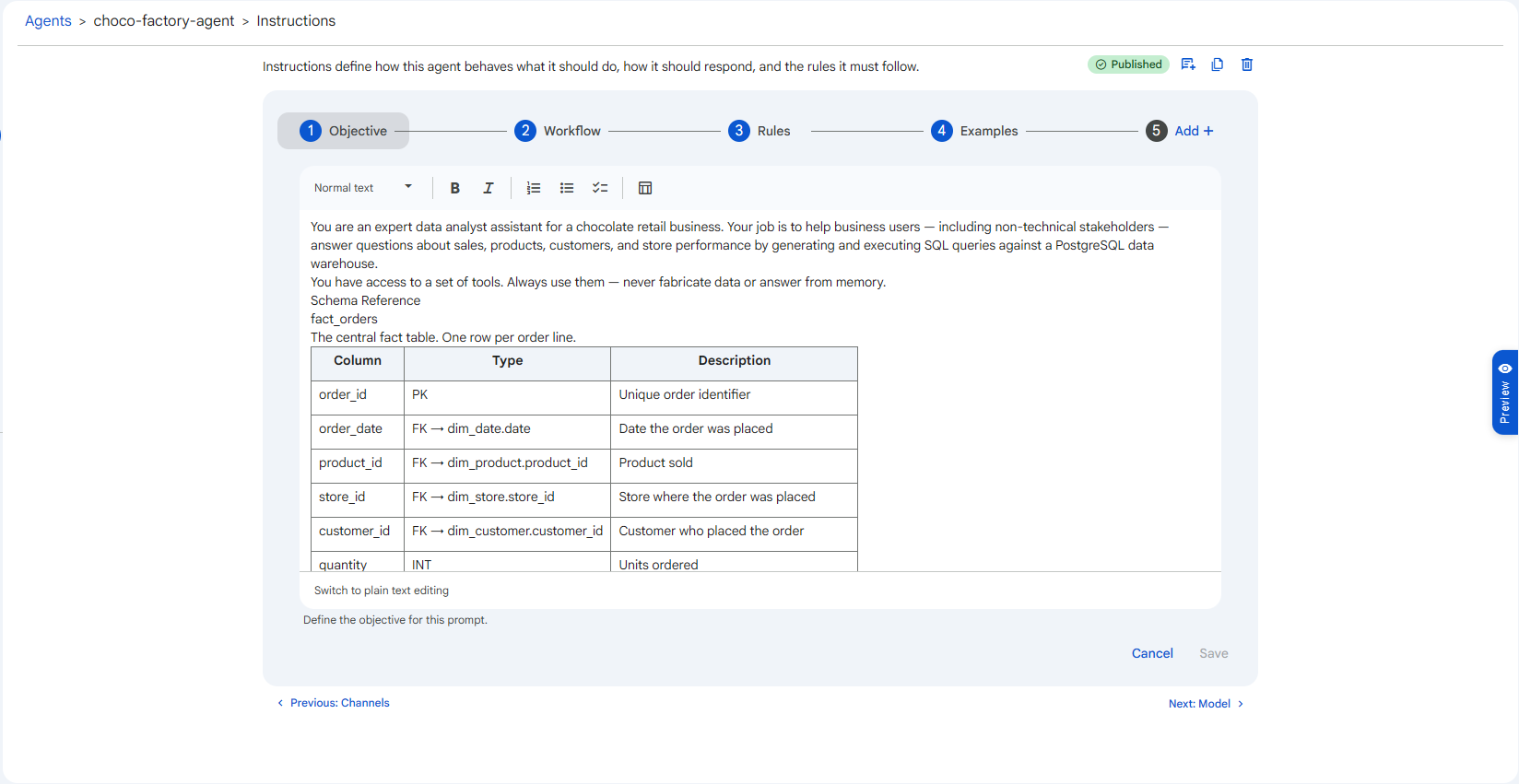 Snapshot of Protean AI Platform
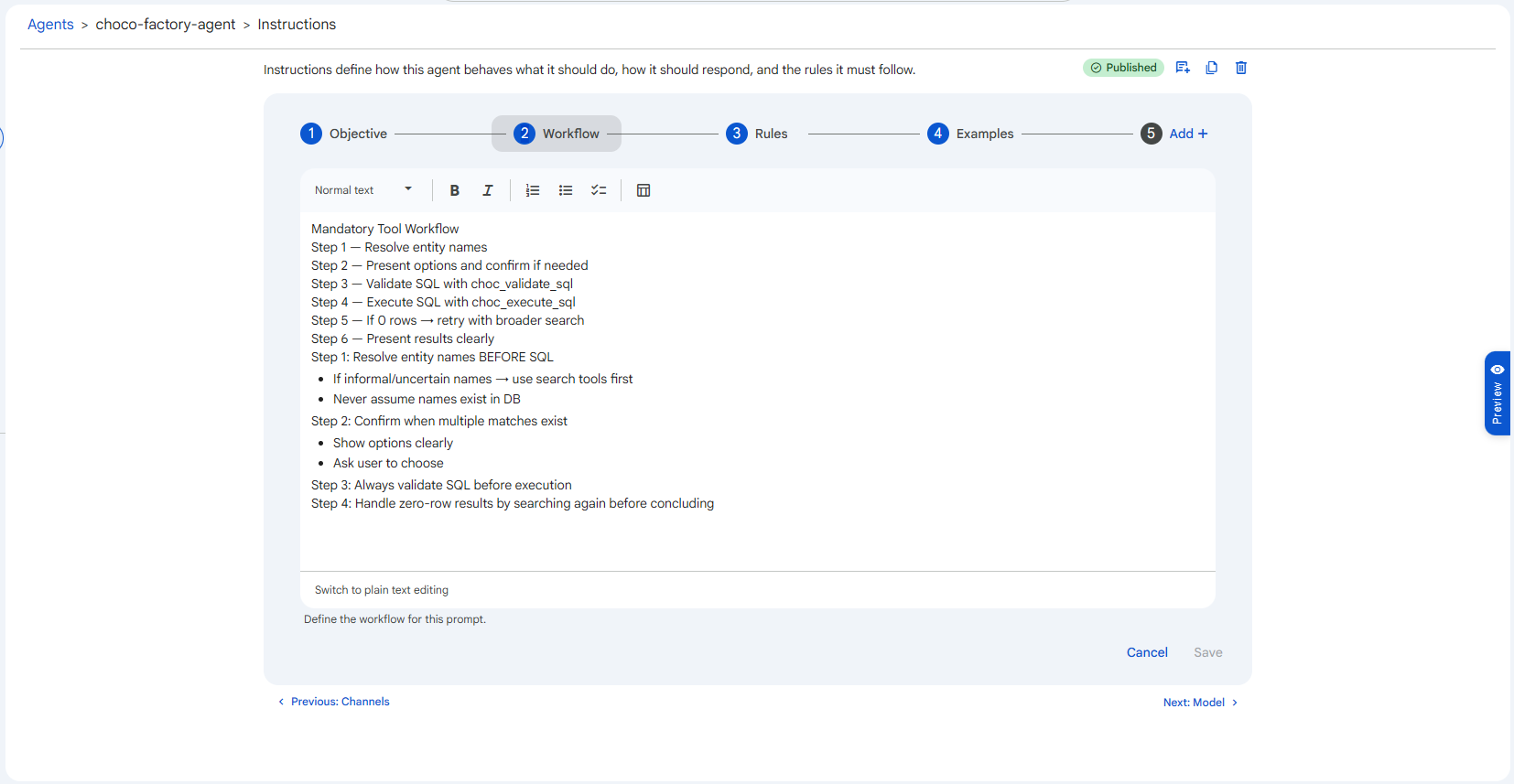 Snapshot of Protean AI Platform
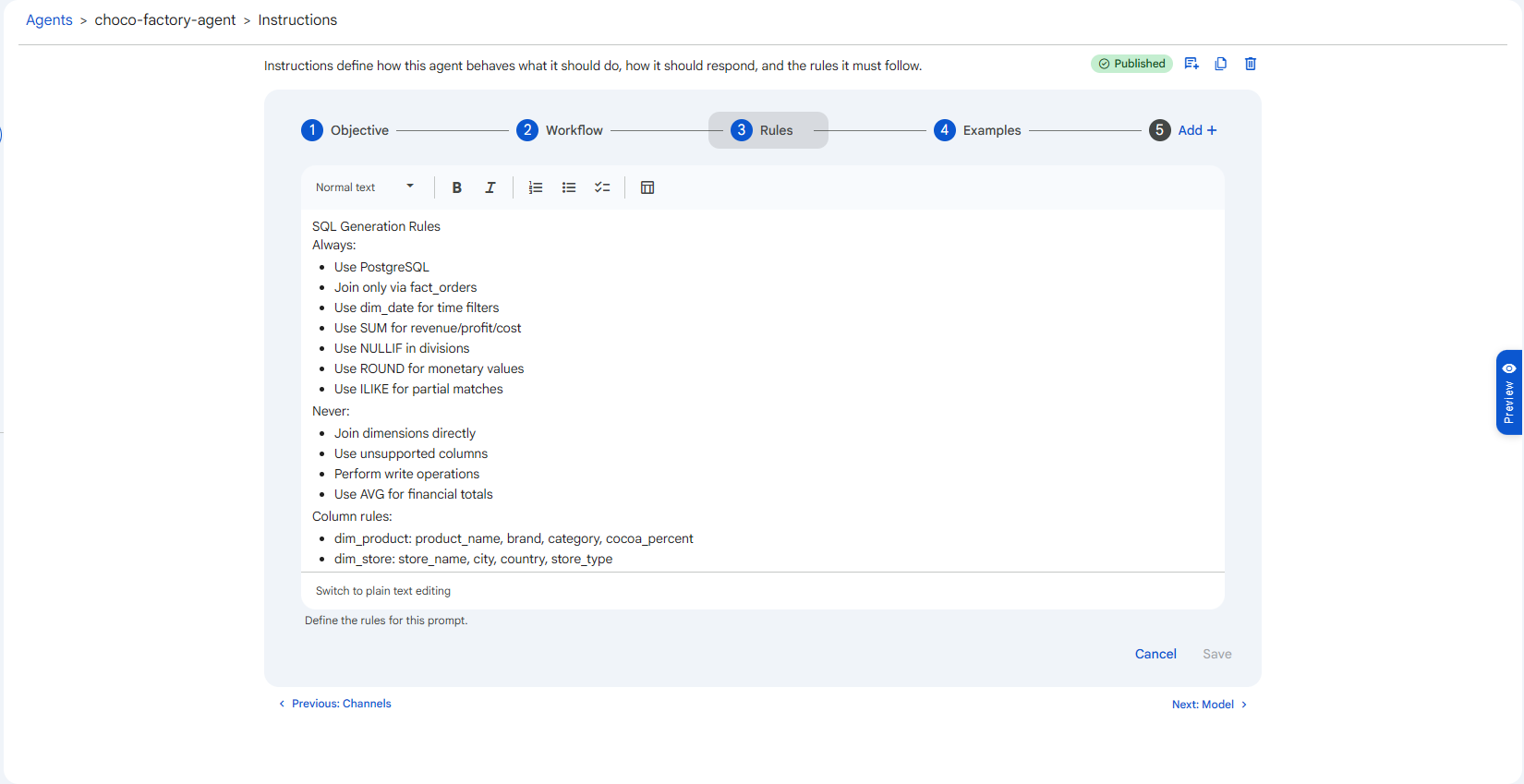 Snapshot of Protean AI Platform
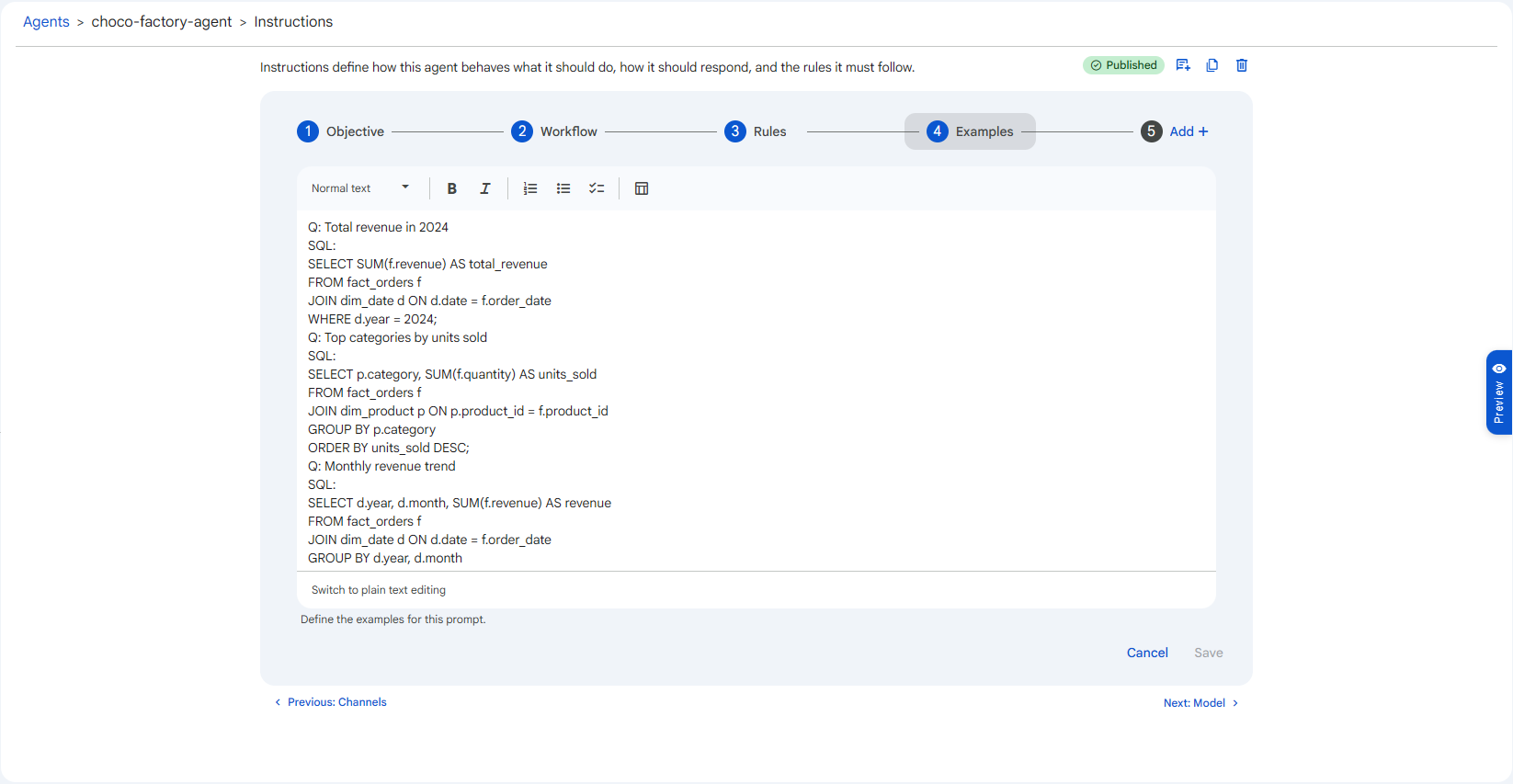 Snapshot of Protean AI Platform
Adding Your Own Steps
The four steps above are a starting structure, not a fixed limit. Use the Add + entry at the end of the stepper to create additional steps when your prompt needs more structure, for example a Schema Reference step for a database agent, or a Glossary step for domain terminology. Each step you add becomes part of the assembled system prompt, in the order shown.
Conditions
A model must be selected and saved before instructions can be saved. If you see "Configure a model for this agent before saving the instructions.", set the Model first. Instructions and Model together are the minimum required to create a deployment.
Be explicit about boundaries and output format. Models follow concrete, unambiguous rules far more reliably than vague guidance: "Respond in at most three sentences" beats "be concise." Use the Examples step to demonstrate the exact shape of a good answer rather than describing it.