Evaluation
Evaluation runs scoring passes on the agent's responses. A separate evaluator model grades each response against a rubric you define, so you can monitor quality and catch regressions automatically. The segment has two tabs: Prompt and Settings.
Prompt
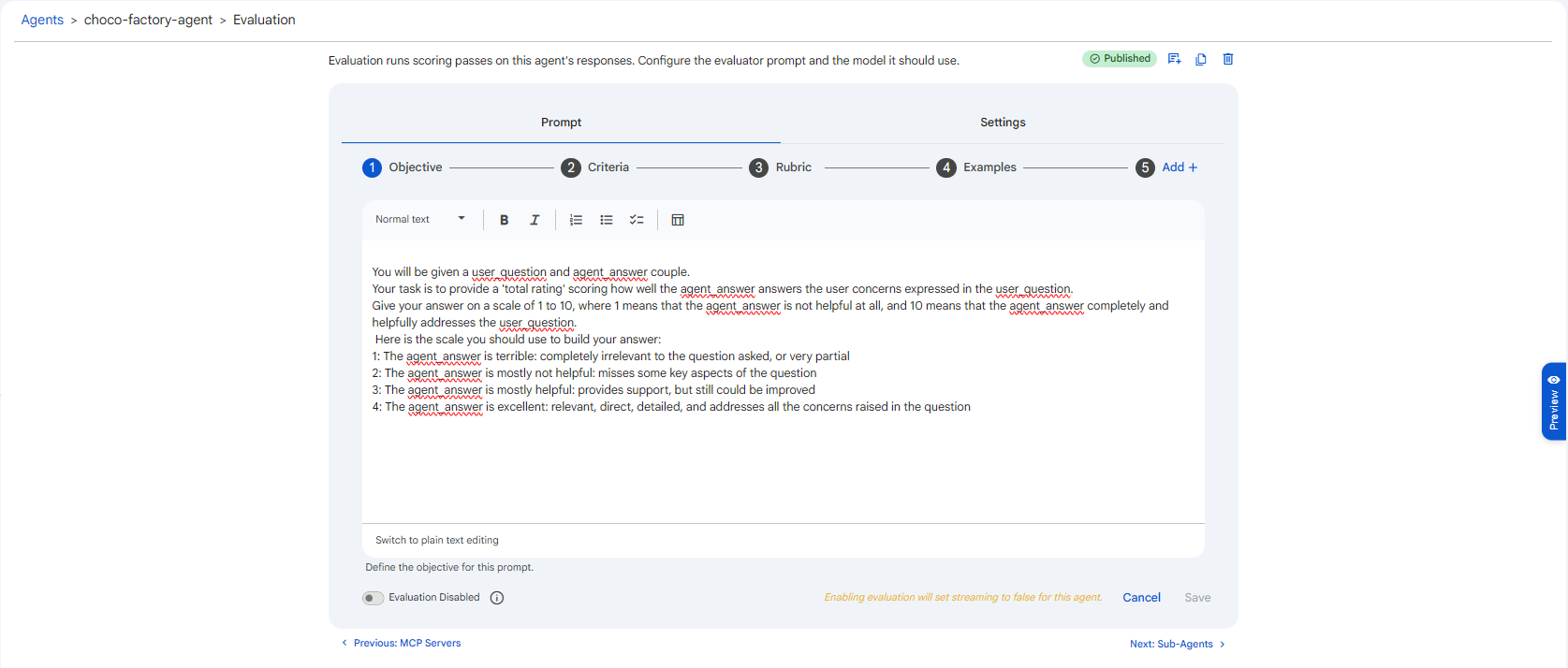
The Prompt tab defines the rubric the evaluator uses. Like Instructions, it is a stepper, with four default steps you can extend via Add +:
| Step | What to put here |
|---|---|
| 1. Objective | What the evaluation is judging overall. |
| 2. Criteria | The specific aspects to score (accuracy, tone, completeness, safety). |
| 3. Rubric | The scoring scale and what each score means. |
| 4. Examples | Sample responses with their ideal ratings. |
 Snapshot of Protean AI Platform
Settings
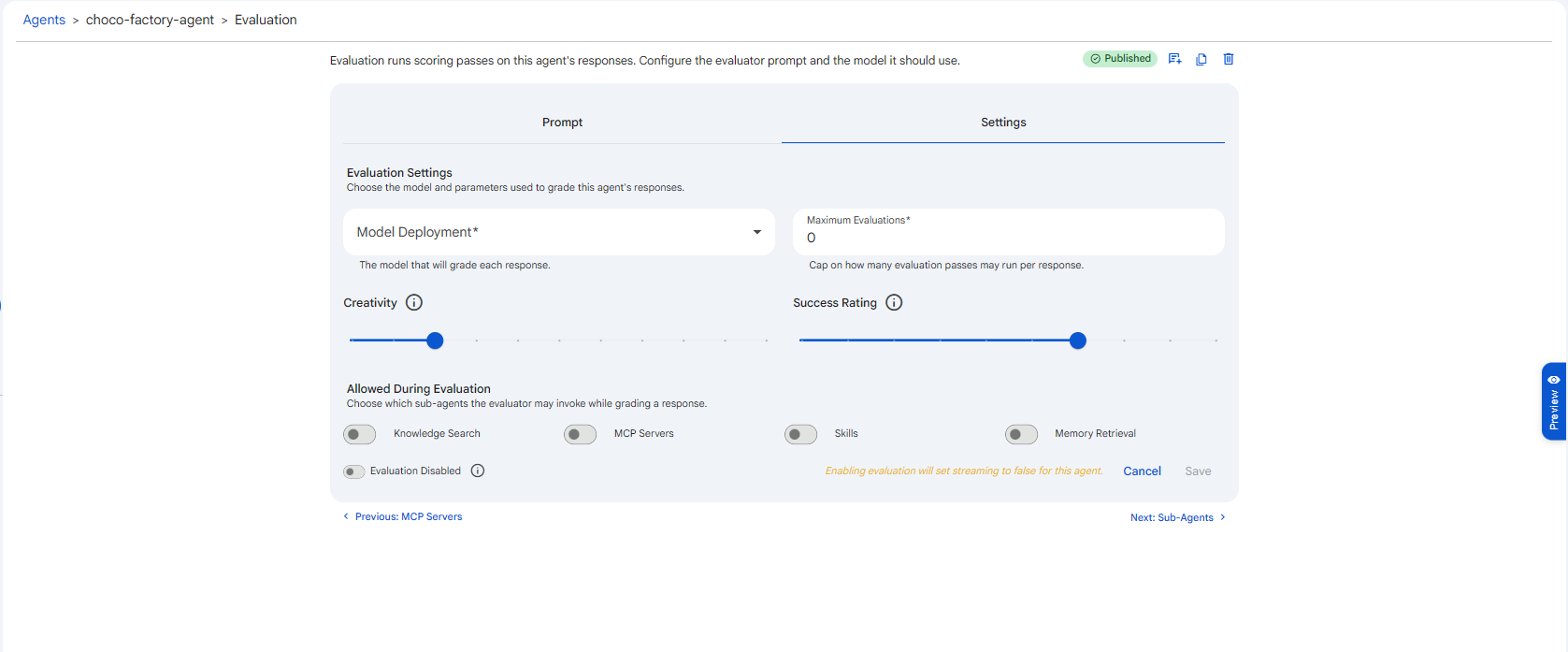
The Settings tab chooses the model and parameters used to grade responses.
 Snapshot of Protean AI Platform
Model Deployment
The model that will grade each response. It can differ from the agent's own model, and often should: a strong, capable model is typically used as the judge even when the agent itself runs on a smaller, cheaper one. This is the single biggest factor in how reliable your scores are.
Maximum Evaluations
A cap on how many evaluation passes may run per response (minimum 1).
Running more than one pass and aggregating reduces the variance of the score (a single pass can be noisy), at the cost of extra evaluator calls per response. Keep it at 1 for routine monitoring; raise it when you need more stable, defensible ratings.
Creativity
A slider (0 to 1) for the evaluator's randomness. Keep it low, evaluation should be consistent and repeatable so that the same response earns the same score across runs. A low value makes the grader deterministic; a high value makes scores wobble and hard to compare.
Success Rating
A slider (1 to 10) setting the minimum rating at which an evaluated response is considered a success. Responses that score at or above it pass; anything below is flagged. Set it to the bar you actually care about, higher for high-stakes agents where only excellent answers should pass, lower where "good enough" is acceptable.
Allowed During Evaluation
By default the evaluator only sees the response it is grading. These toggles let it use the same capabilities the agent had, so it can judge grounding and tool use rather than just surface quality. All are off by default.
| Toggle | What it lets the evaluator do |
|---|---|
| Knowledge Search | Search the agent's knowledge to verify the response is factually grounded. |
| MCP Servers | Call MCP tools to check tool-driven results. |
| Skills | Use the agent's skills while grading. |
| Memory Retrieval | Access the agent's memory for context. |
Enable a toggle only when the evaluator genuinely needs that capability to judge correctly, each one it uses adds cost and latency to every evaluation.
Enabling Evaluation
Evaluation is off by default, the toggle reads Evaluation Disabled. To turn it on:
- Fill in the Prompt and Settings and Save the evaluation first.
- Then switch the toggle to Evaluation Enabled.
You must save a valid evaluation configuration before it can be enabled; the toggle is not effective on an unsaved or incomplete configuration.
Enabling evaluation sets streaming to false for this agent. Because each response must be fully generated before it can be graded, an evaluated agent does not stream its replies token-by-token. The interface shows this next to the toggle: "Enabling evaluation will set streaming to false for this agent." If a streaming chat experience matters more than automatic scoring, leave evaluation off. See Stream Responses.
Keep the evaluator's Creativity low (around 0.2) for stable scores, and write the Rubric as a concrete scale where each number has a clear meaning. A vague rubric produces noisy ratings that are hard to act on.