Deploy & Auth
The Deploy & Auth segment manages the agent's runtime deployment and controls who can view or update it. It always applies to the main agent: sub-agents do not have their own deployment or access control.
Deploying the Agent
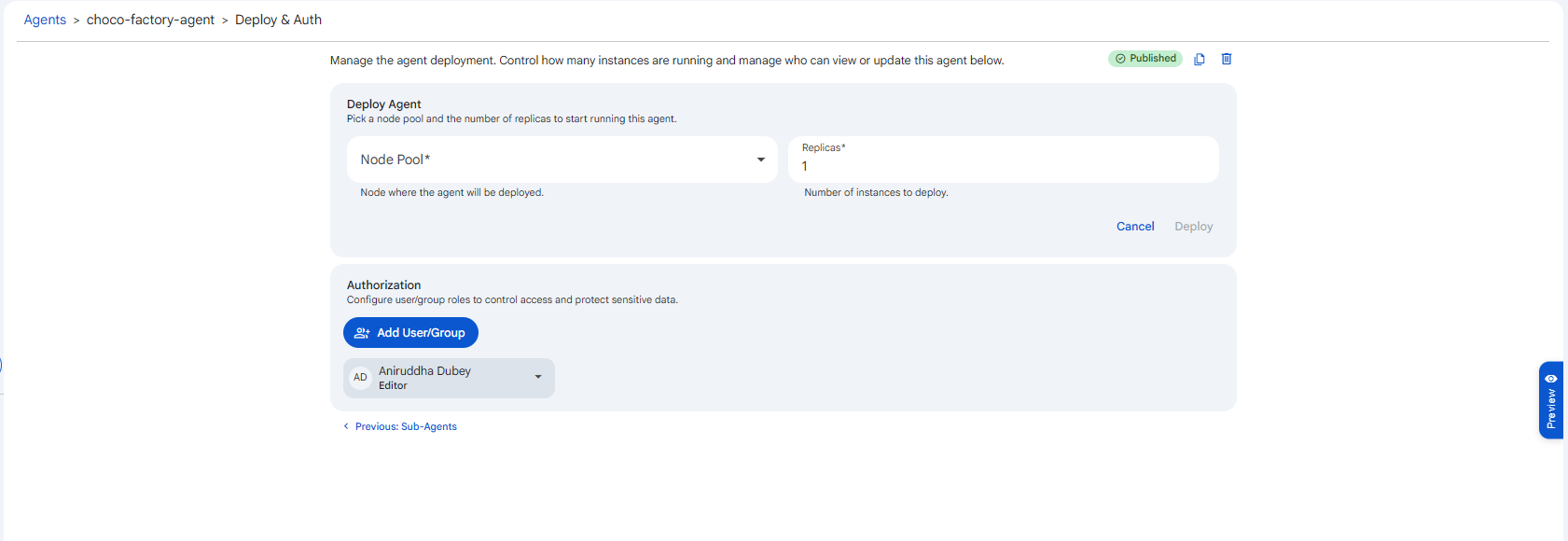
Before deployment, this segment shows the Deploy Agent form. Pick a node pool and the number of replicas to start running the agent.
 Snapshot of Protean AI Platform
Node Pool
The node pool selects which compute the agent runs on. When you deploy, Protean places the agent's runtime onto a node drawn from this pool, so the choice determines the hardware and capacity backing the agent. Pick a pool that has the resources the agent needs, since an underprovisioned pool can leave the deployment unable to start. See Node Pools for how compute is provisioned.
Replicas
The replica count sets how many instances of the agent run at once, with a minimum of one. Each replica handles requests independently, so raising the count spreads load across more instances and keeps the agent available even if a single instance is unhealthy. Increase replicas when you expect higher concurrency or need more resilience, and scale back down to reclaim compute when demand is low.
Click Deploy to provision the runtime. An agent is only usable in chat once its deployment exists and has at least one available replica.
Managing a Running Deployment
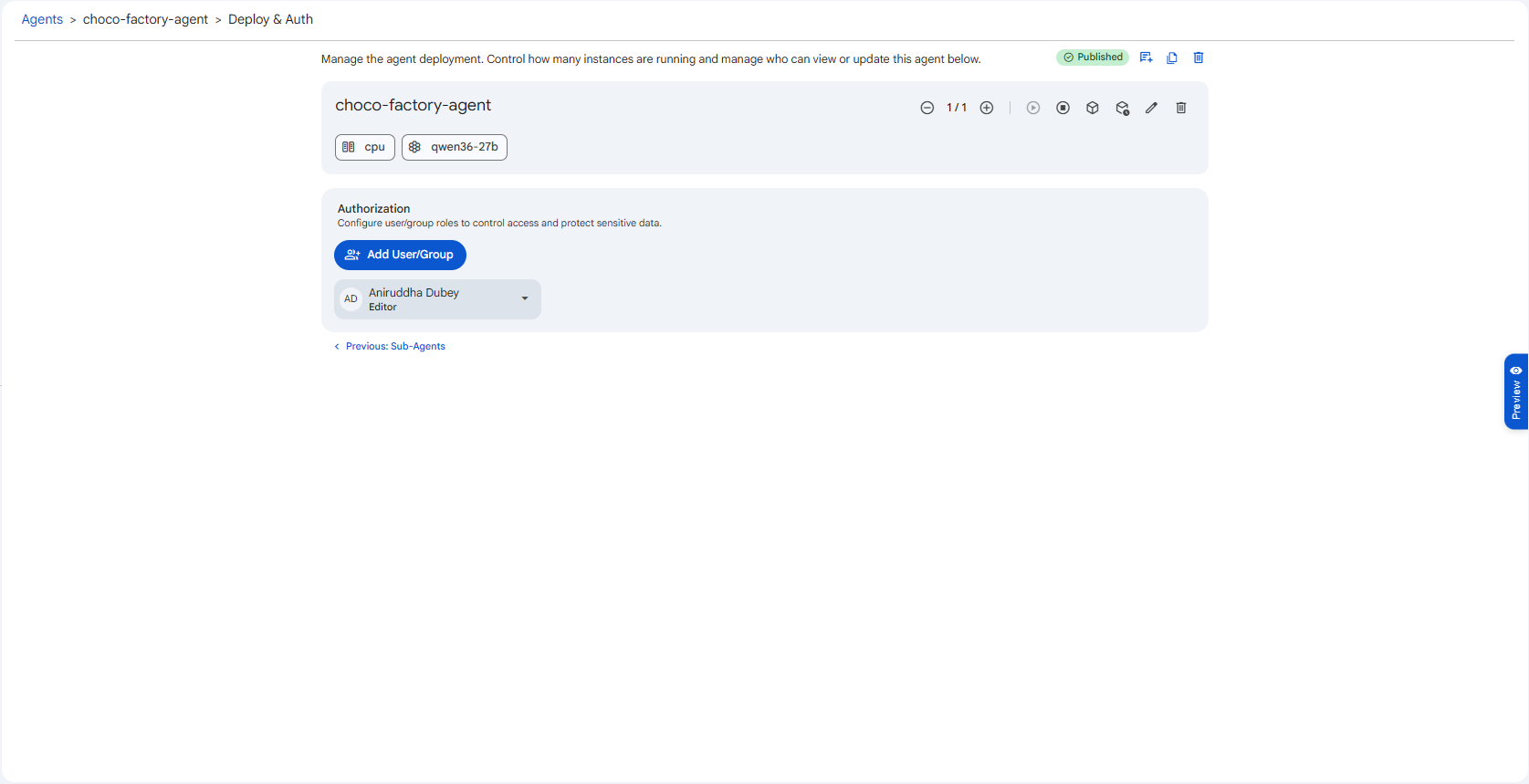
Once deployed, the form is replaced by a runtime card showing the deployment's status. From the card you can:
- Start / Stop the deployment
- Scale Up / Scale Down the number of replicas
- Edit the deployment (change node pool or replica count)
- Delete the deployment. This stops all instances. You'll be asked to confirm ("This will delete the agent deployment and stop all instances.")
The card also surfaces key details as chips: the node, the model deployment, and the thinking budget (if thinking is enabled).
 Snapshot of Protean AI Platform
Authorization
The Authorization section controls who can access the agent. Use Add User/Group to grant a user or group a role, and adjust roles inline.
- Owner / Editor, full control: read, update, publish, delete, and manage access.
- Viewer, read-only: can view the agent and use it in chat, but cannot change it.
For the complete role and action matrix, see Access Control.
Because a sub-agent runs under the main agent, sharing the main agent also governs access to everything it delegates to. There is no separate sharing step for sub-agents.